





How to Install a Web Application on Google Chrome with Android:
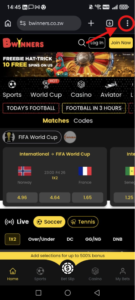
1. Go to bwinners.co.zw
2. Click the 3 dots at the top right of your screen on Google Chrome
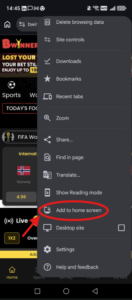
3. A banner saying “Add to Home screen” will appear — tap it.
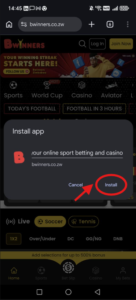
4. Confirm the installation on the pop up window, the app icon will appear on your home screen.
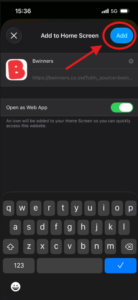
How to Install a Web Application on Safari with iOS:
1. Go to bwinners.co.zw
2. Click the 3 dots at the bottom right of your screen on Safari

3. Click “Share”
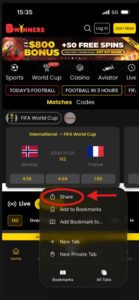
4. Click “View More”
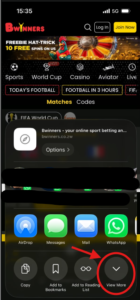
5. Click “Add to Home Screen”
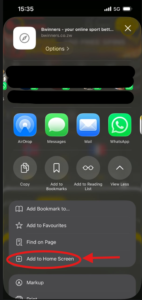
6. Click “Add” and the app icon will appear on your home screen