




How to Deposit
Simple and quick guide to fund your Bwinners account
EcoCash Deposit Steps
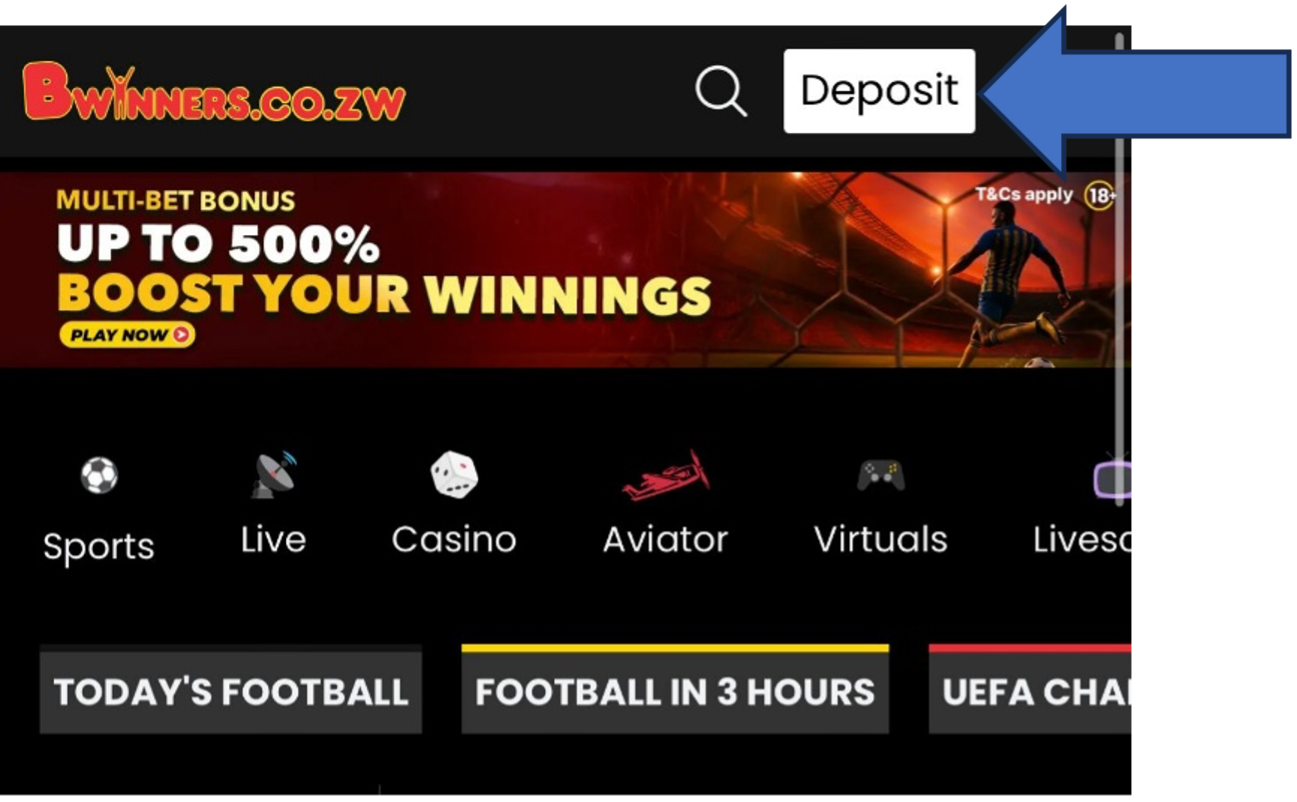
Login
Login to your Bwinners.co.zw account
Head to the deposit section
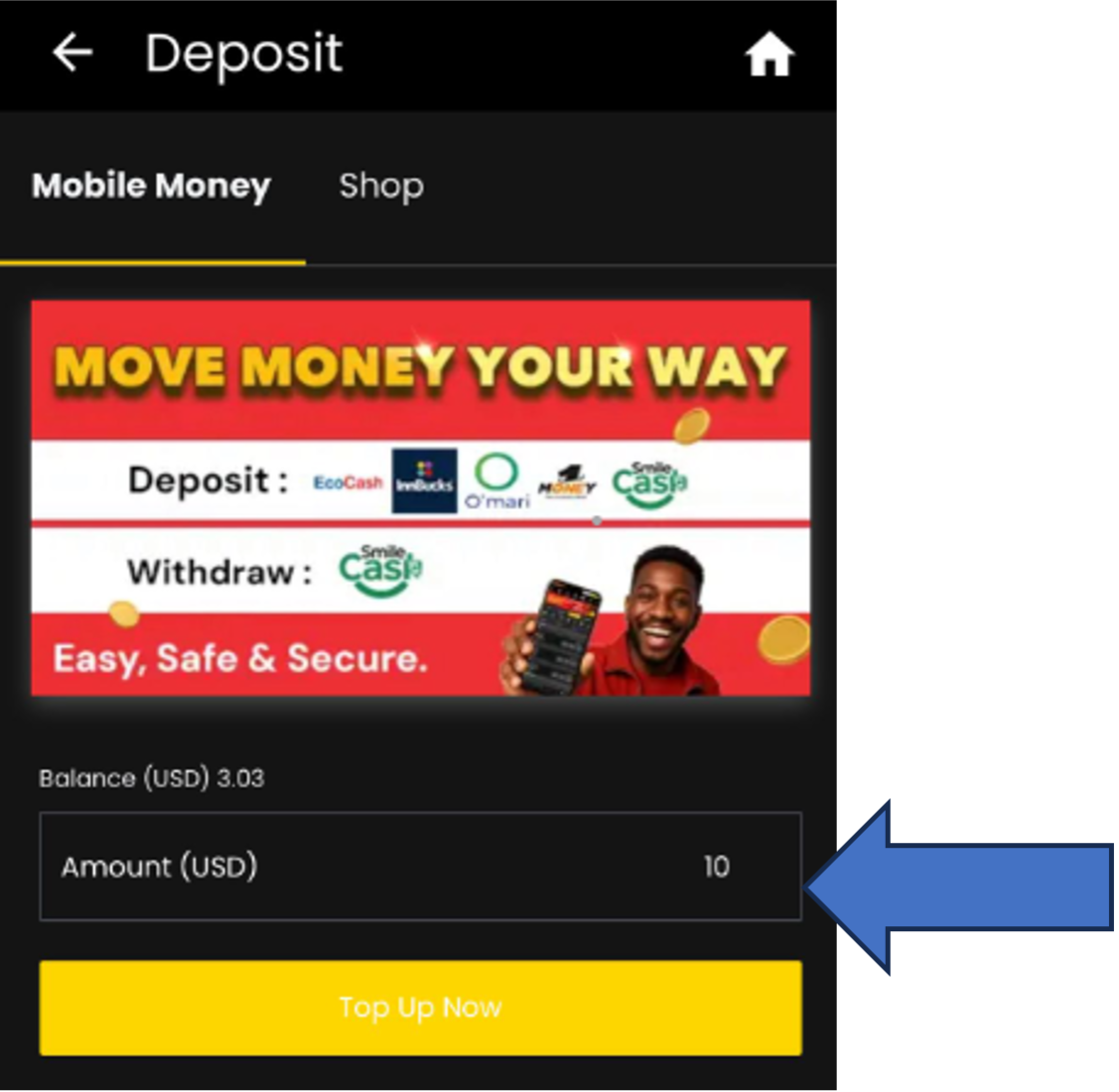
Enter Amount
Insert deposit amount (USD) & click "Top up now"
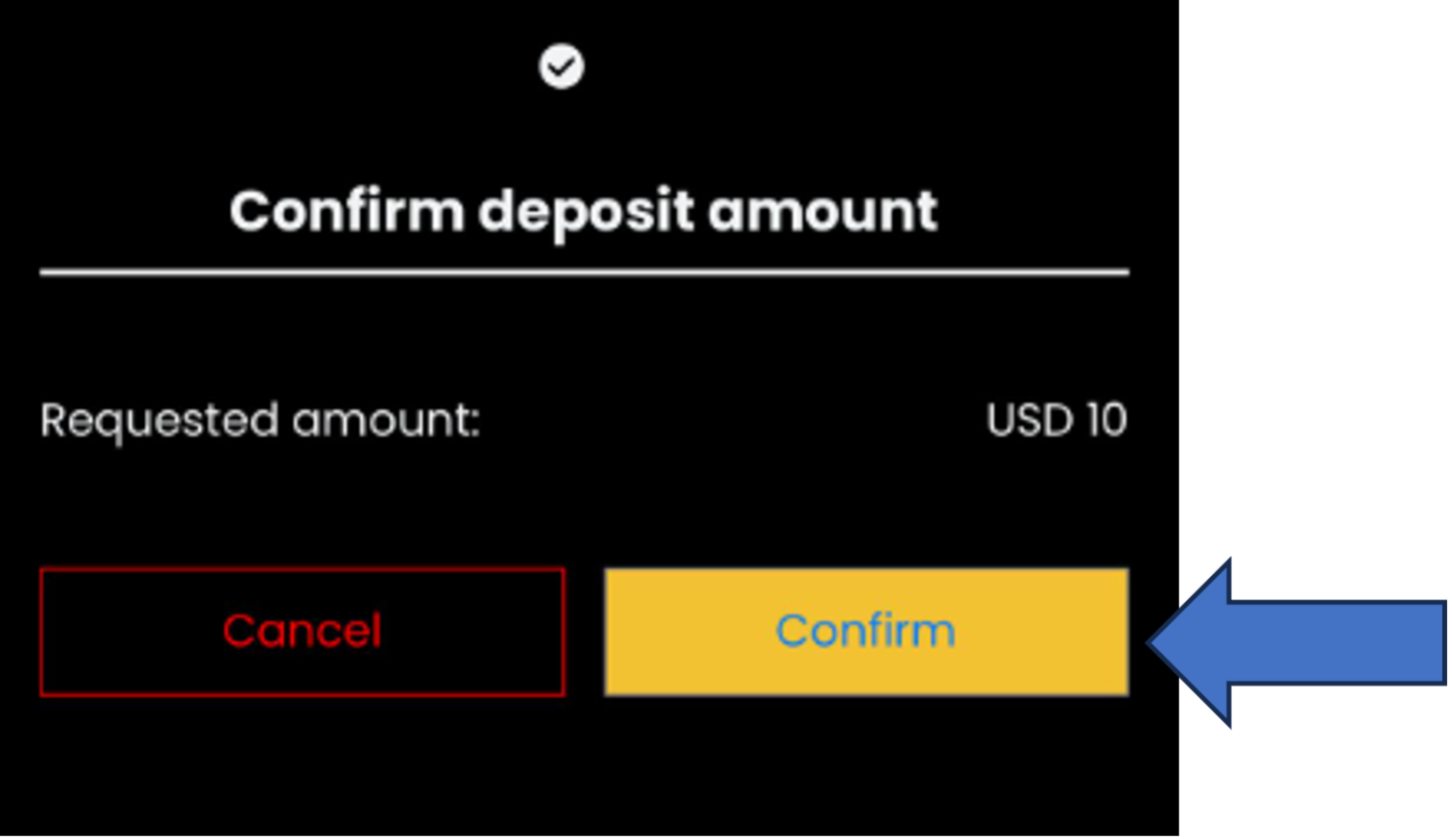
Confirm
Click "Confirm" to proceed
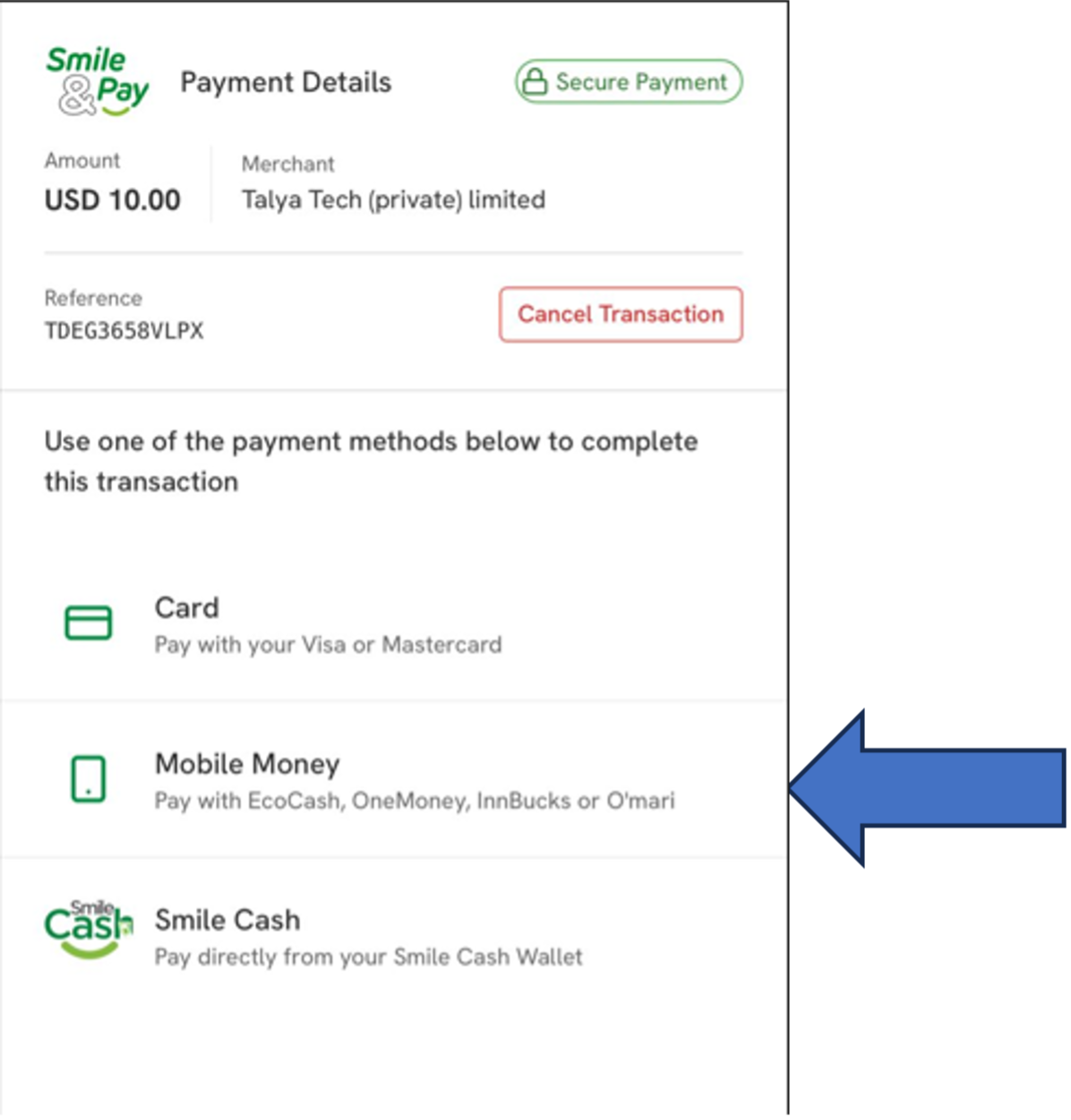
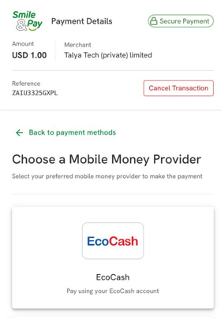
Select Mobile Money
Select Mobile Money to proceed
Choose EcoCash
Select EcoCash as Mobile Money Provider
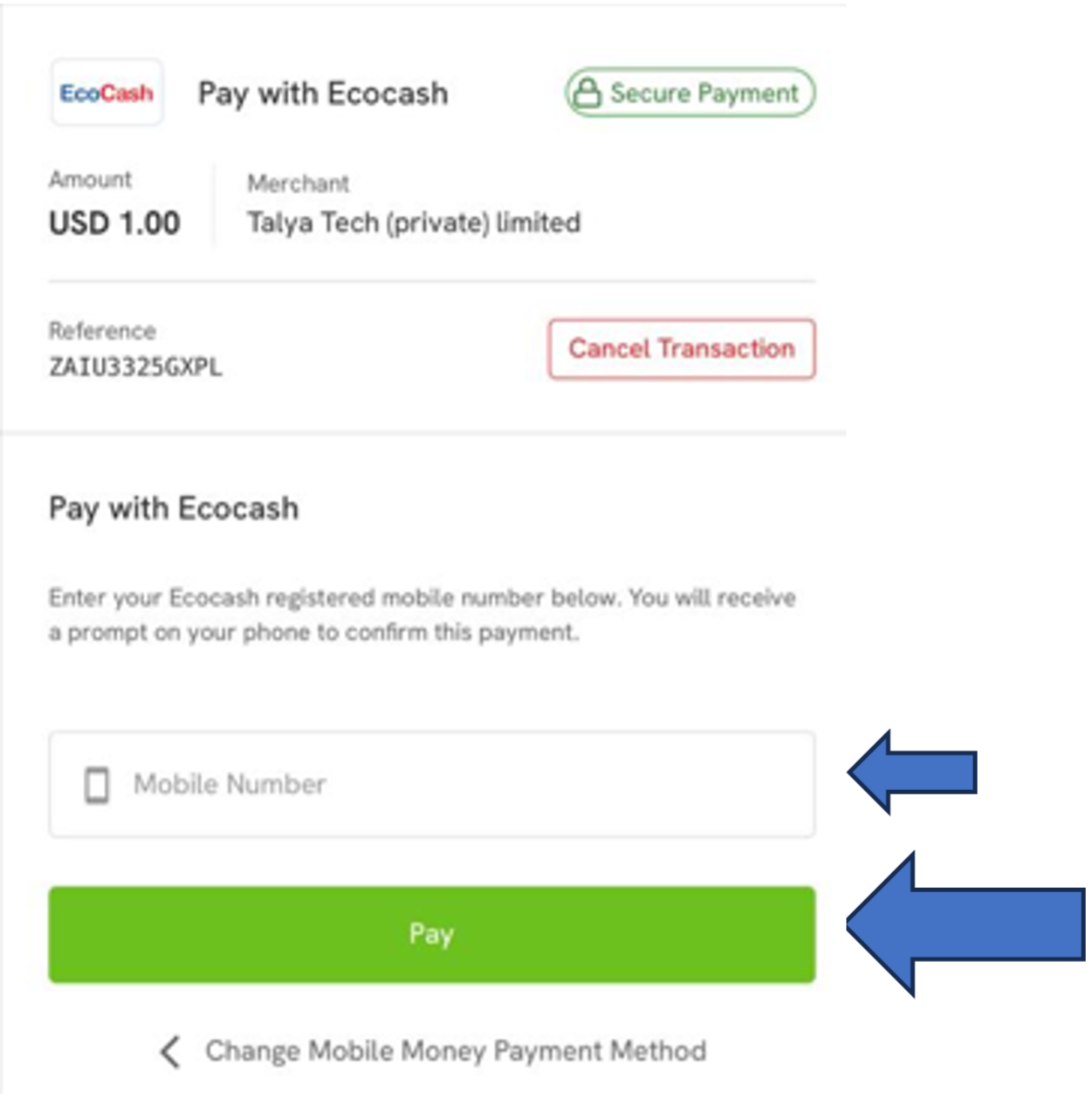
Enter Phone Number

Enter mobile number and click "Pay"
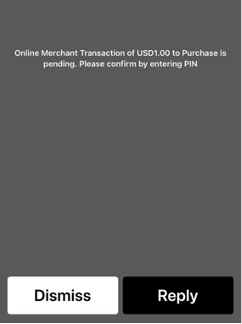
Enter Password
Enter Ecocash password on the pop-up screen to confirm payment
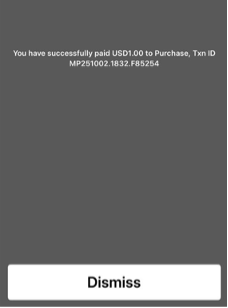
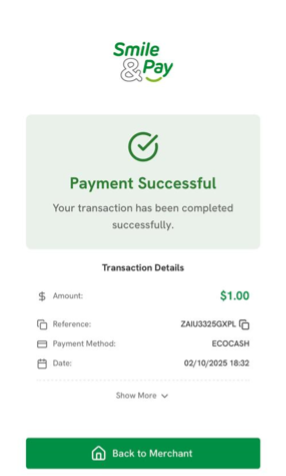
Payment Successful
Successful payment pop-up
Success!
Success! Click "Back to Merchant"
✓ Done! Your account is credited and you can start playing.
Omari Deposit Steps
Login
Login to your Bwinners.co.zw account
Head to the deposit section
Enter Amount
Insert deposit amount & click "Top up now"
Confirm
Click "Confirm" to proceed
Select Mobile Money
Select Mobile Money to proceed
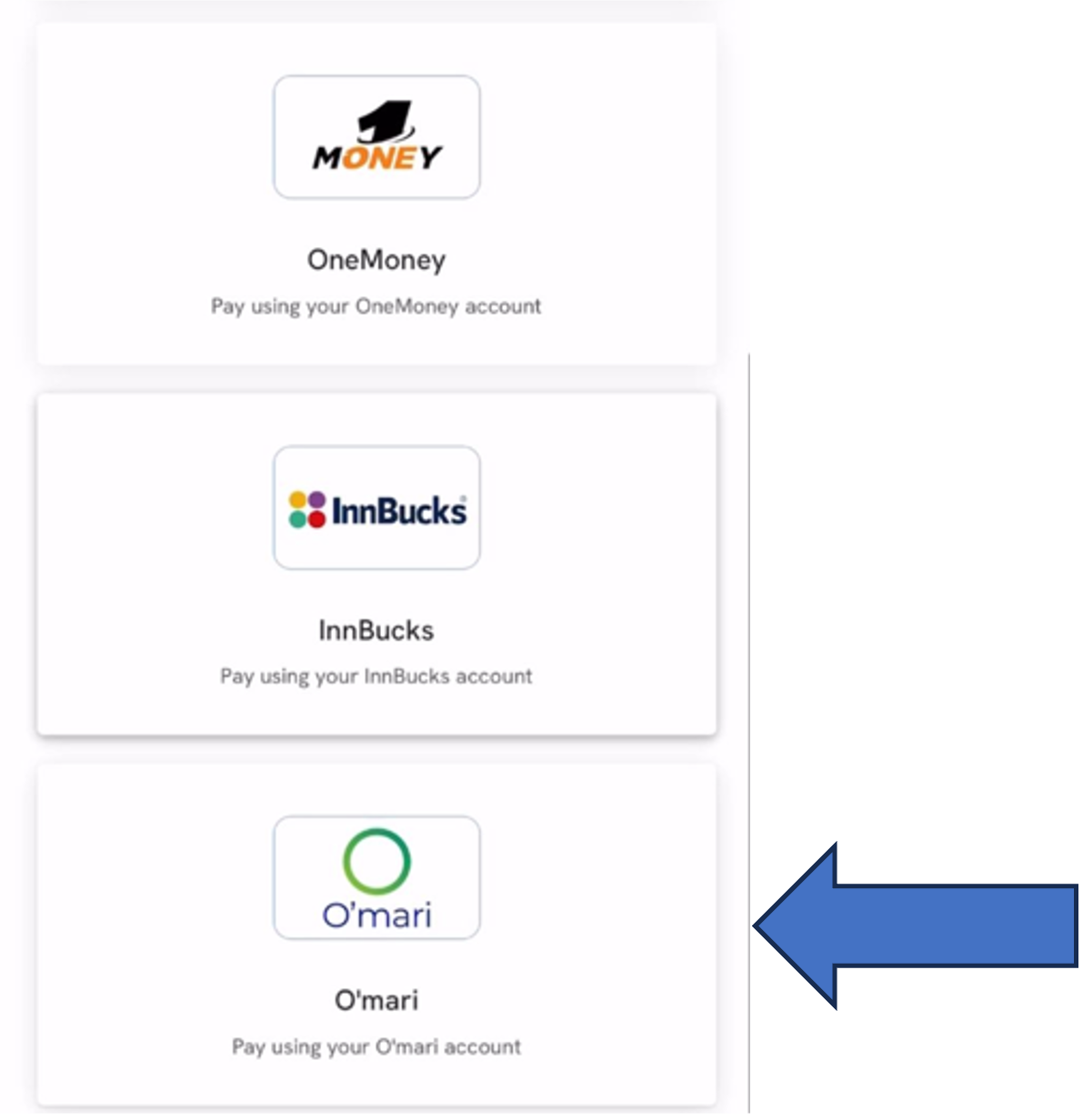
Choose Omari
Select Omari as Mobile Money Provider
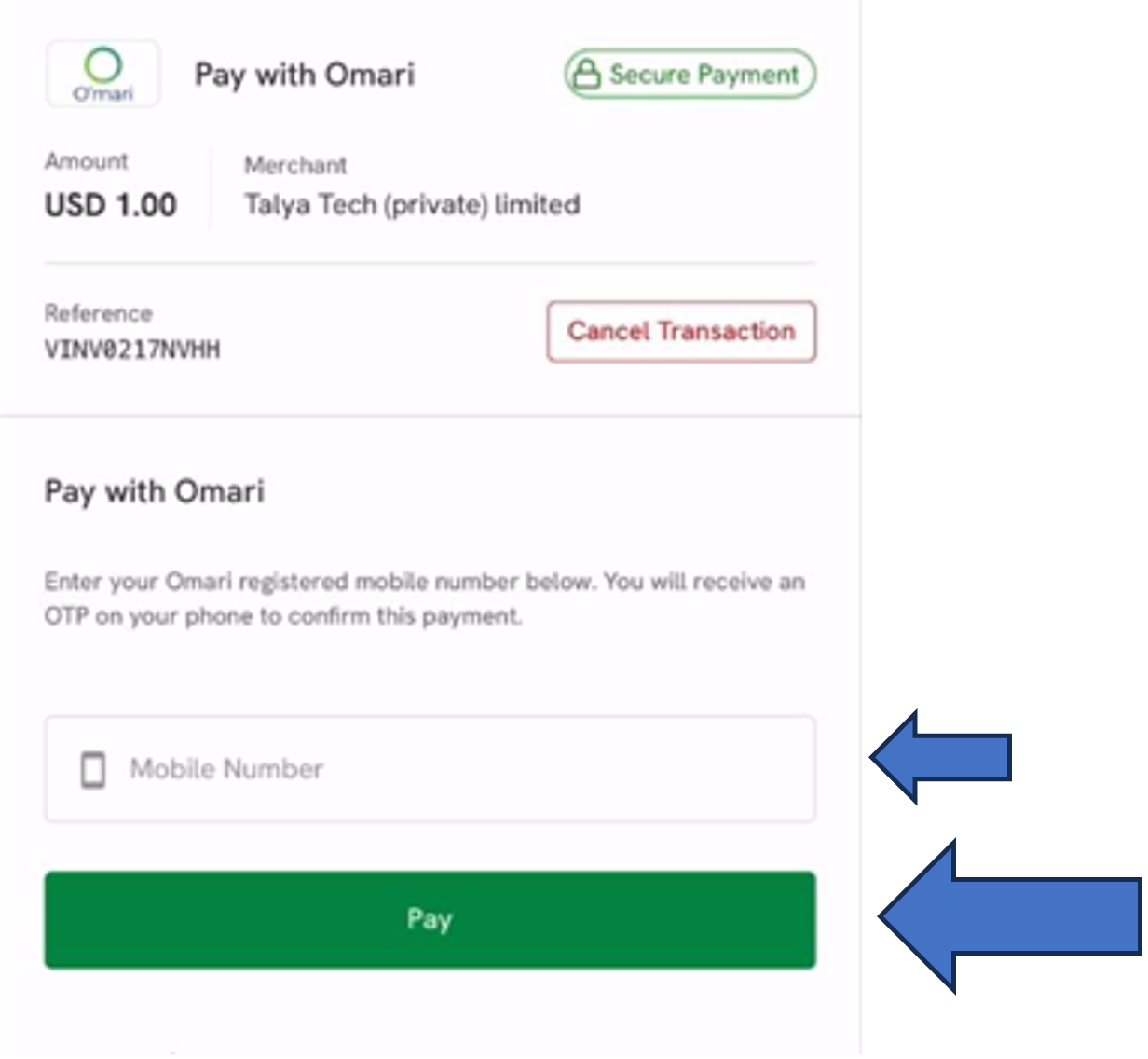
Enter Phone Number
Enter mobile number and click "Pay"
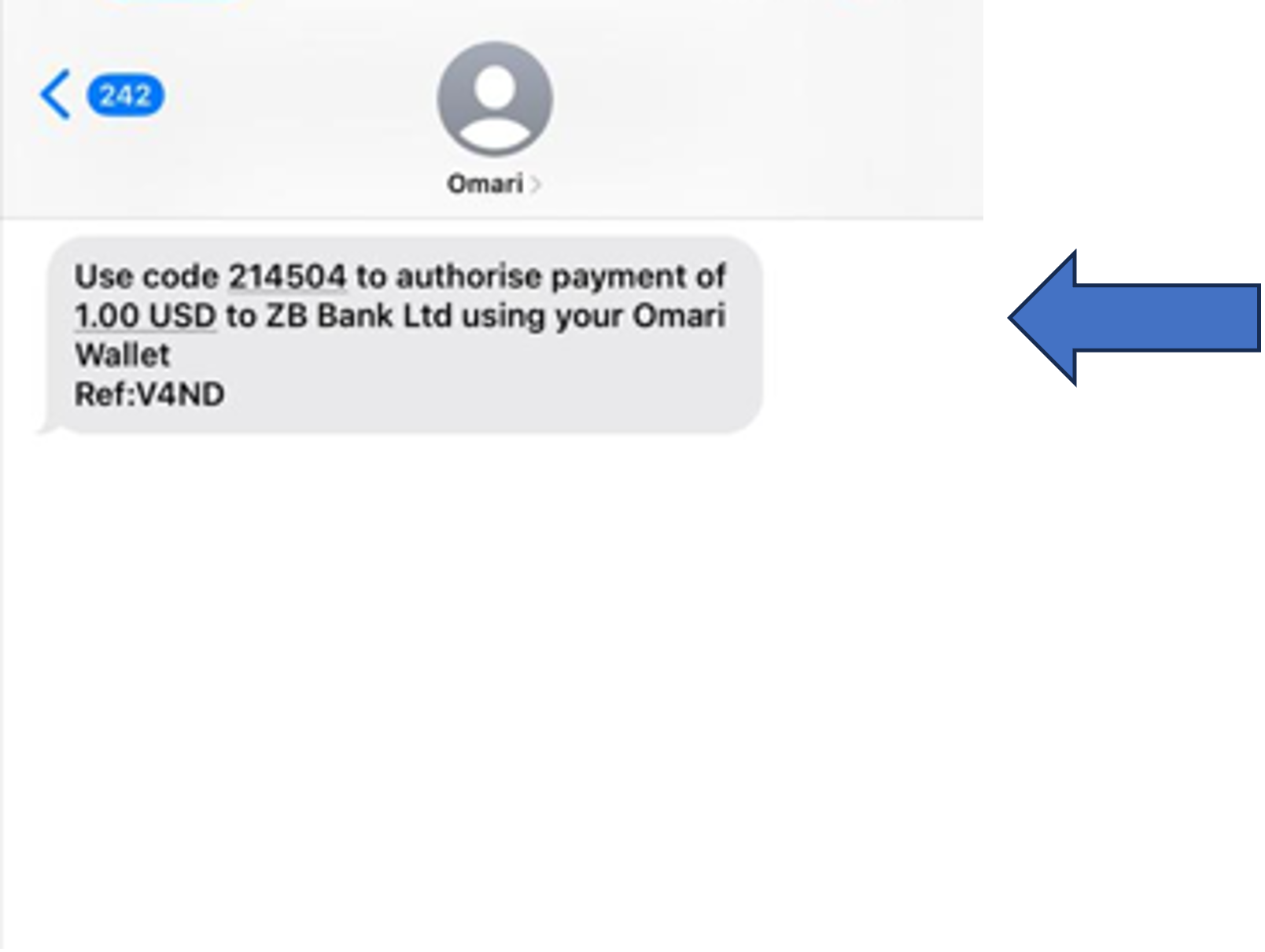
Receive OTP
You'll receive SMS with OTP from Omari
OTP Message
Check your SMS for the OTP code
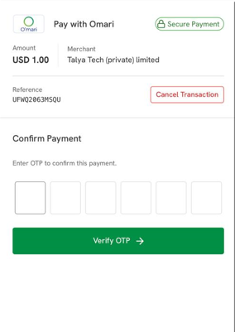
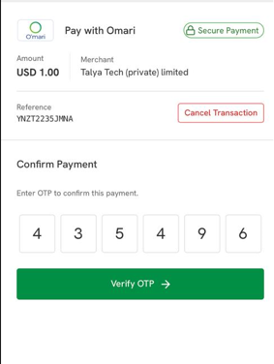
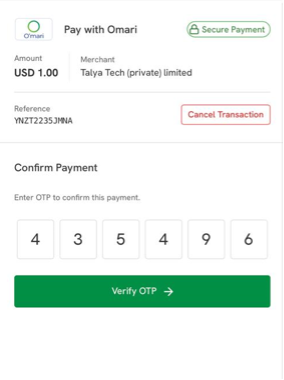
Verify OTP
Enter OTP and click "Verify OTP"
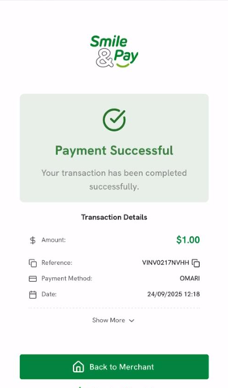
Success
Successful payment, click "Back to Merchant"
✓ Done! Your account is credited and you can start playing.
InnBucks Deposit Steps
Login
Login to your Bwinners.co.zw account
Head to the deposit section
Enter Amount

Insert amount & click "Top up now"
Confirm
Click "Confirm" to proceed
Select Mobile Money

Select Mobile Money to proceed
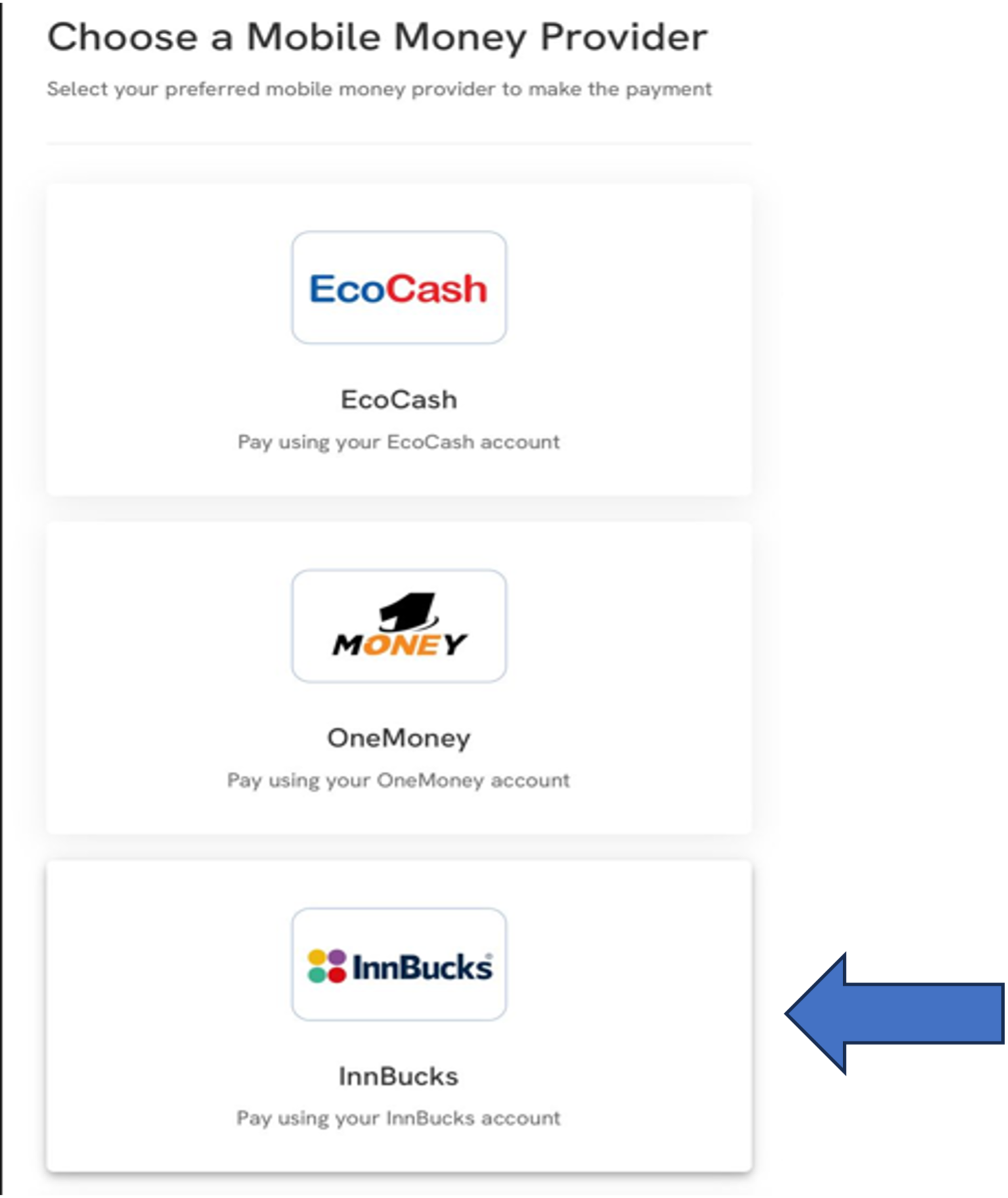
Choose InnBucks

Select InnBucks as provider
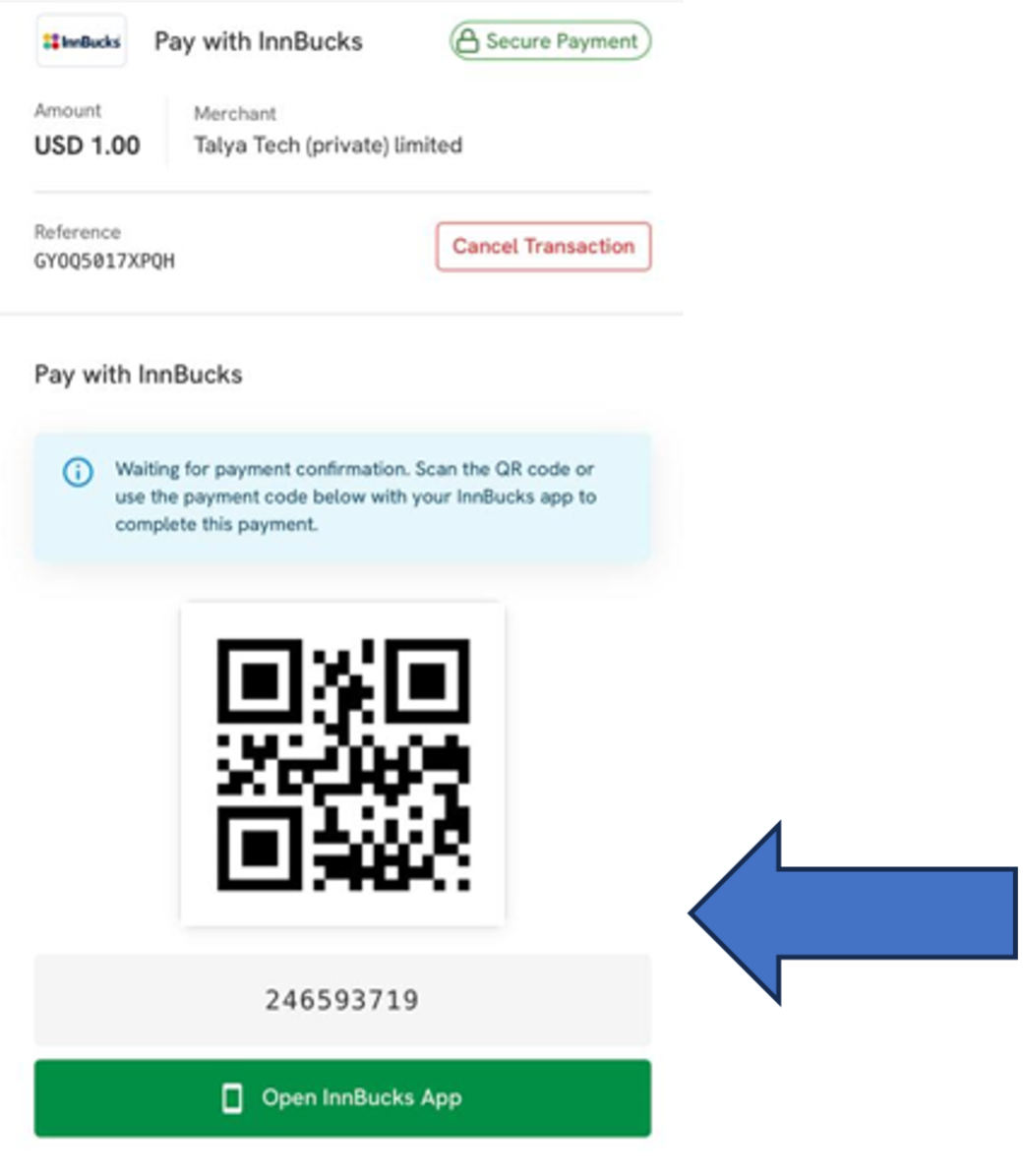
Scan QR Code

Scan QR or copy code to InnBucks app
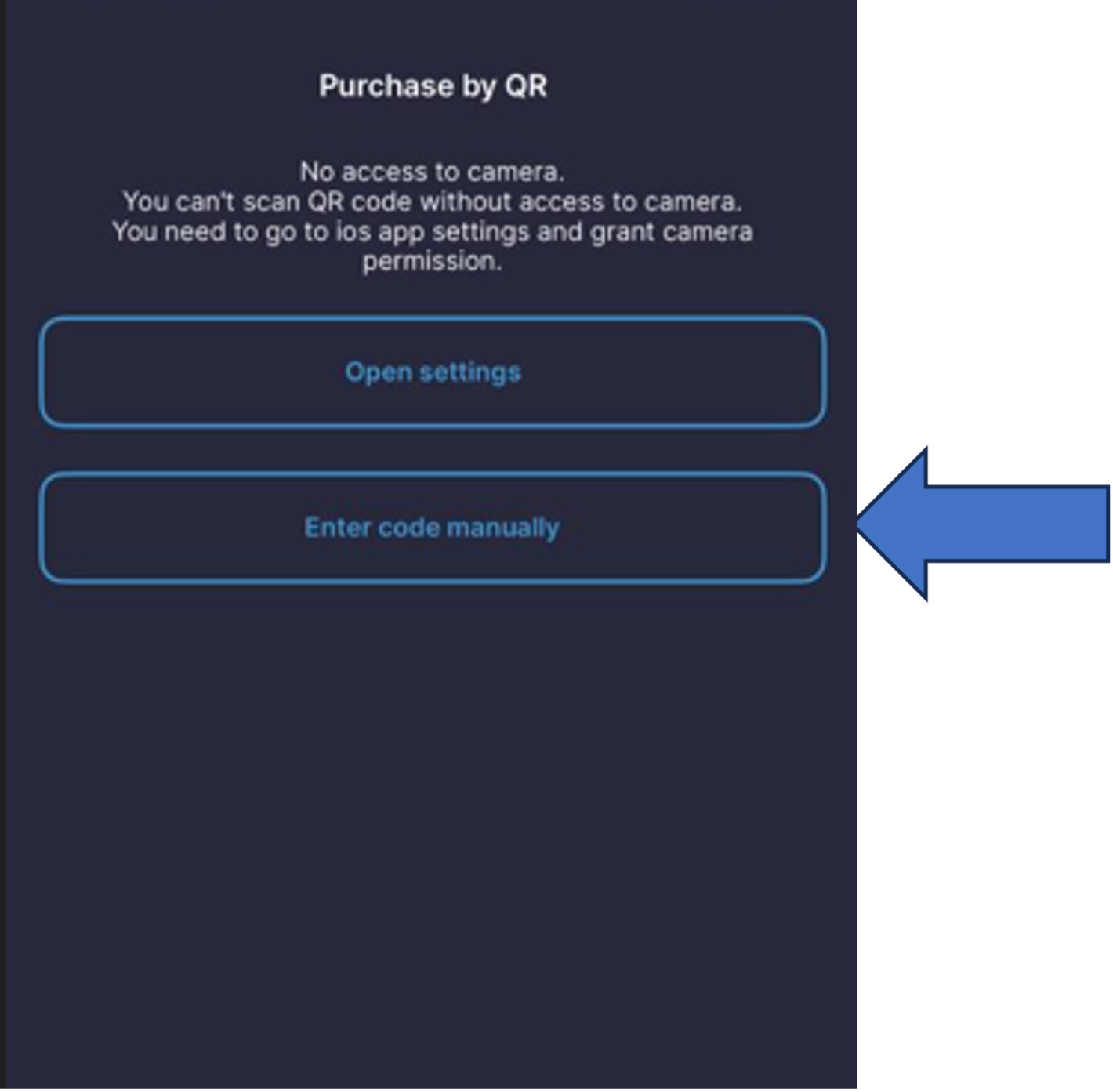
Open InnBucks App

Open app and click "Enter code manually"
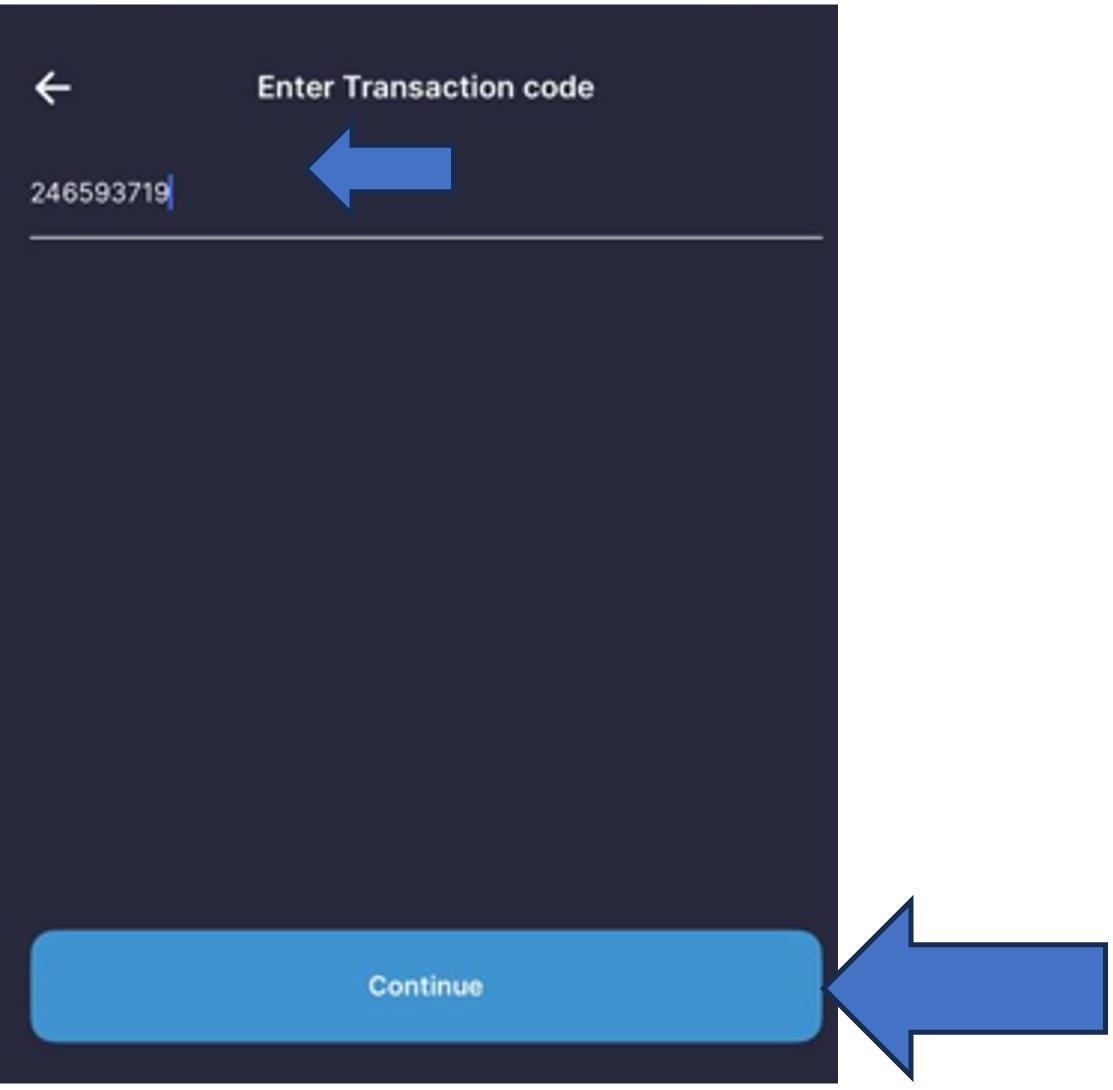
Paste Code

Paste code and click "Continue"
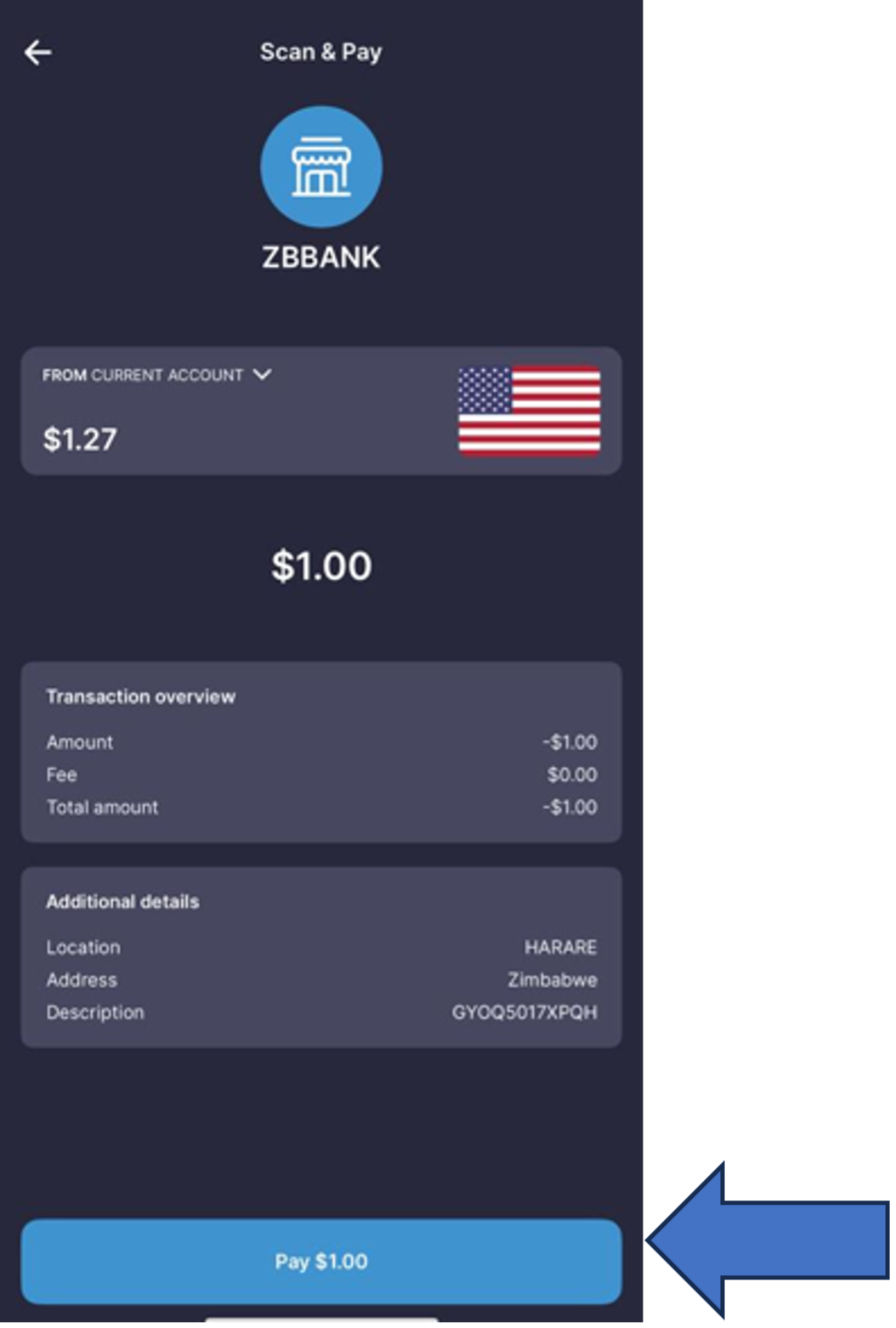
Review & Pay

Review transaction and click "Pay"
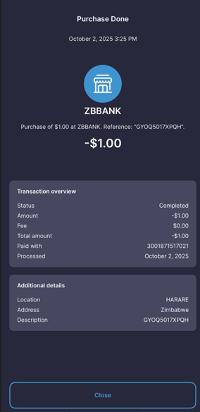
Confirmation
You'll receive confirmation & SMS
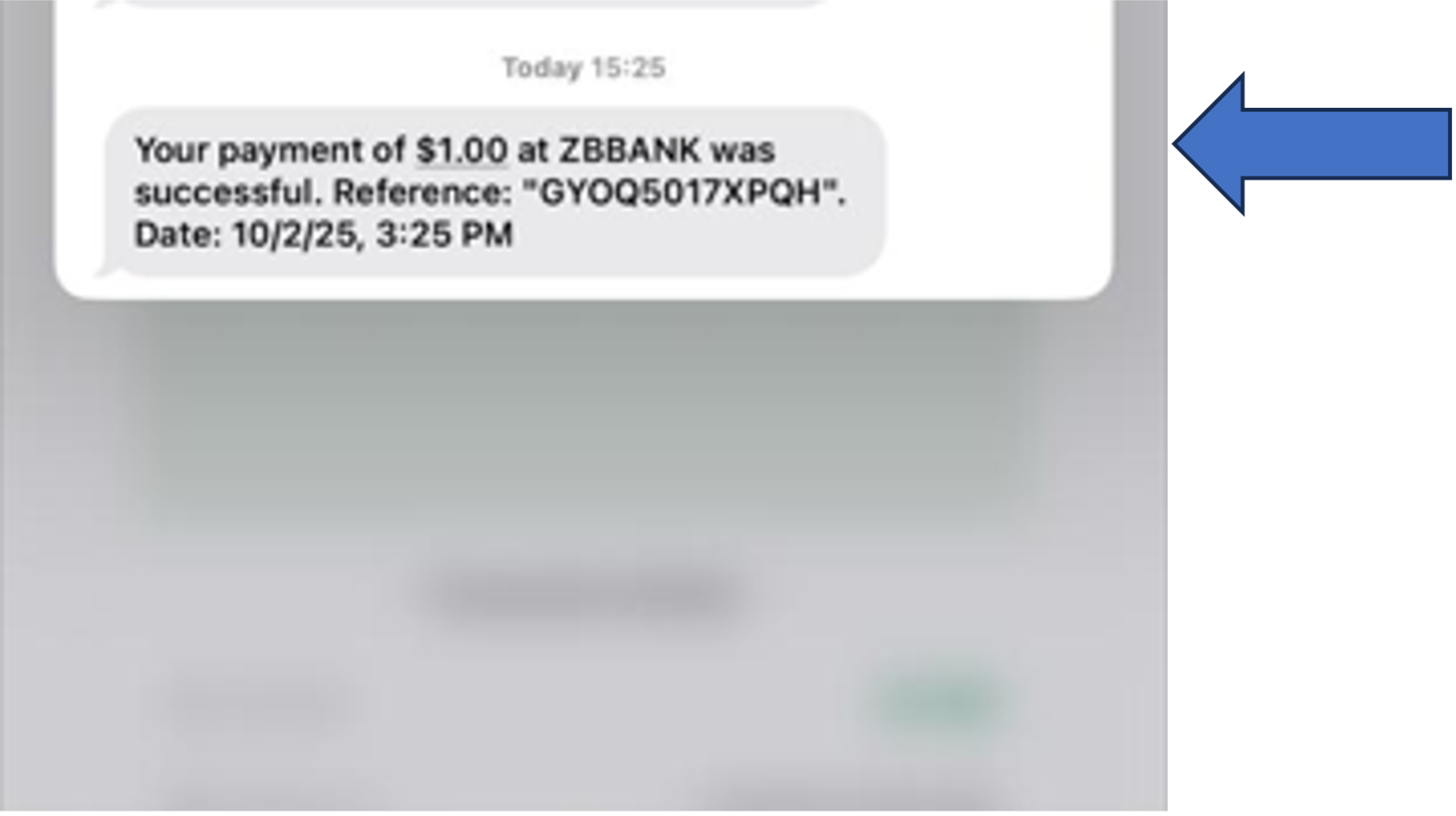
SMS Confirmation

InnBucks will send SMS to confirm payment
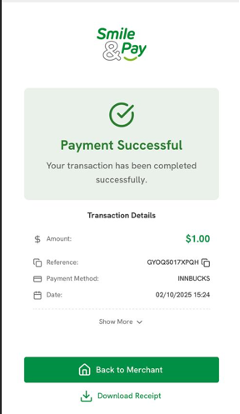
Back to Merchant
Return to transaction page and click "Back to Merchant"
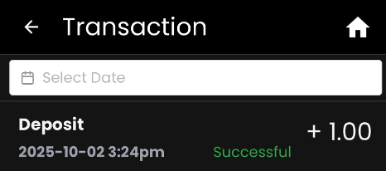
History Deposit
Your transaction history reflects the successful deposit
Complete Process
Deposit journey complete - resume to play and win!
✓ Done! Your account is credited and you can start playing.
SmileCash Deposit Steps
Login
Login to your Bwinners.co.zw account
Head to the deposit section
Enter Amount

Insert amount & click "Top up now"
Confirm
Click "Confirm" to proceed
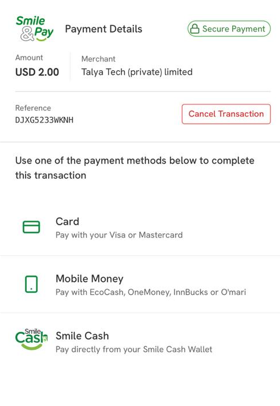
Select SmileCash
Select SmileCash to proceed
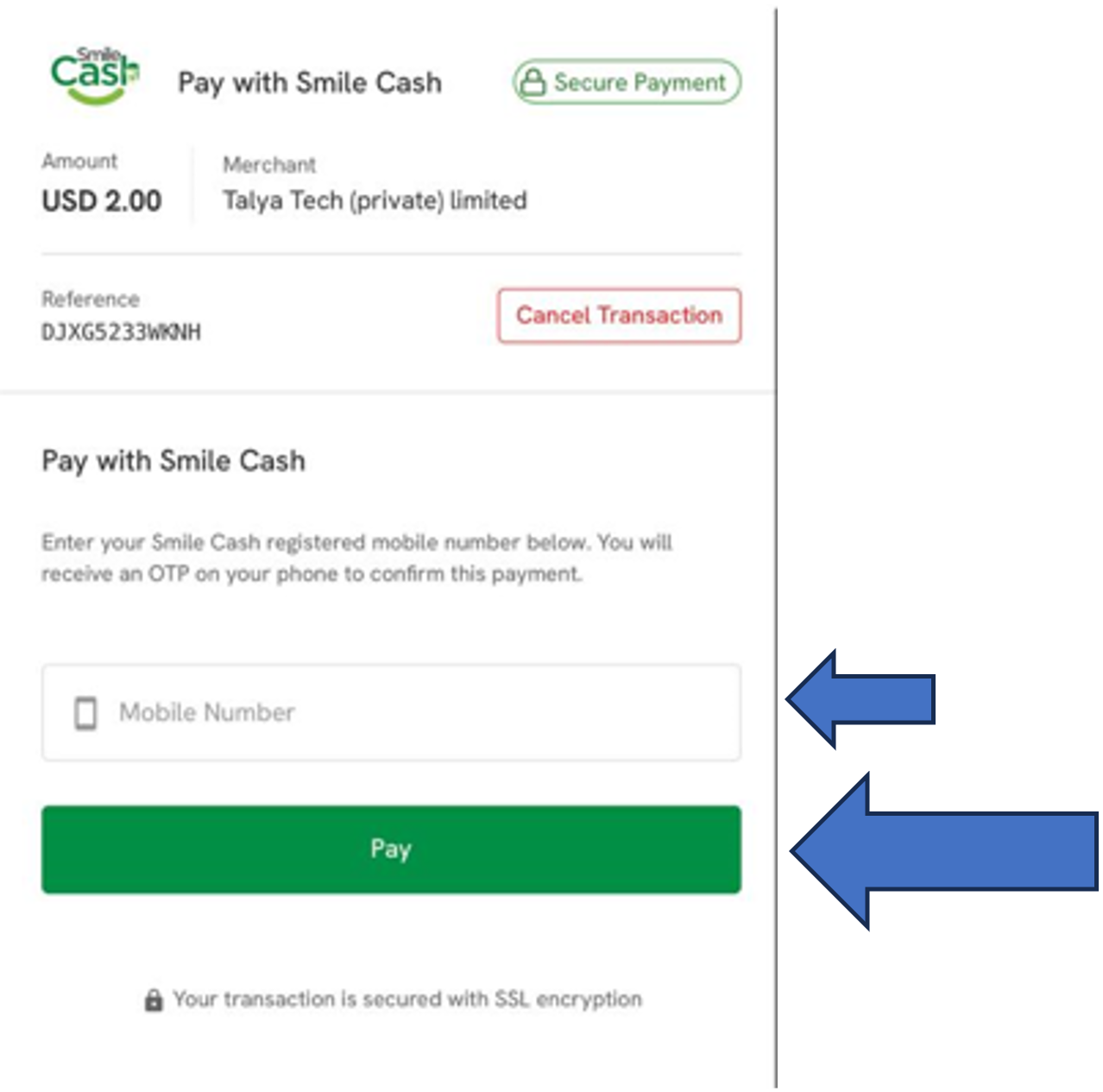
Enter Phone Number

Enter mobile number and click "Pay"
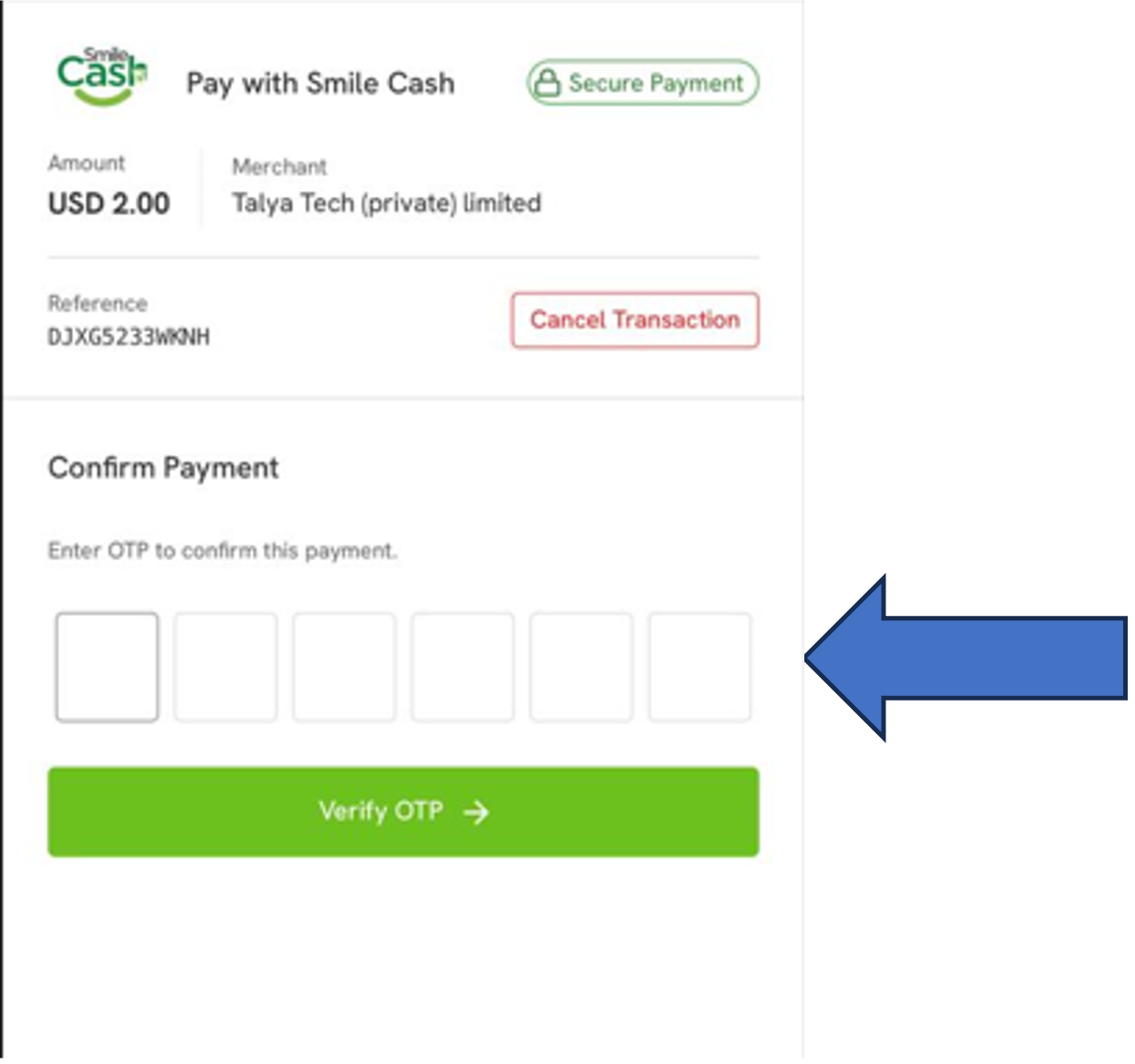
Receive OTP

Enter OTP to confirm payment and click "Verify OTP"
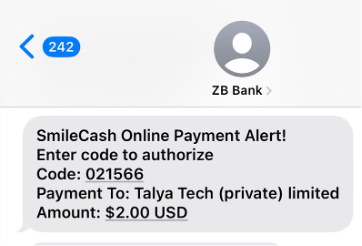
OTP Message
You will receive SMS with OTP from ZB BANK
Enter OTP
Enter the OTP and click "Verify OTP"
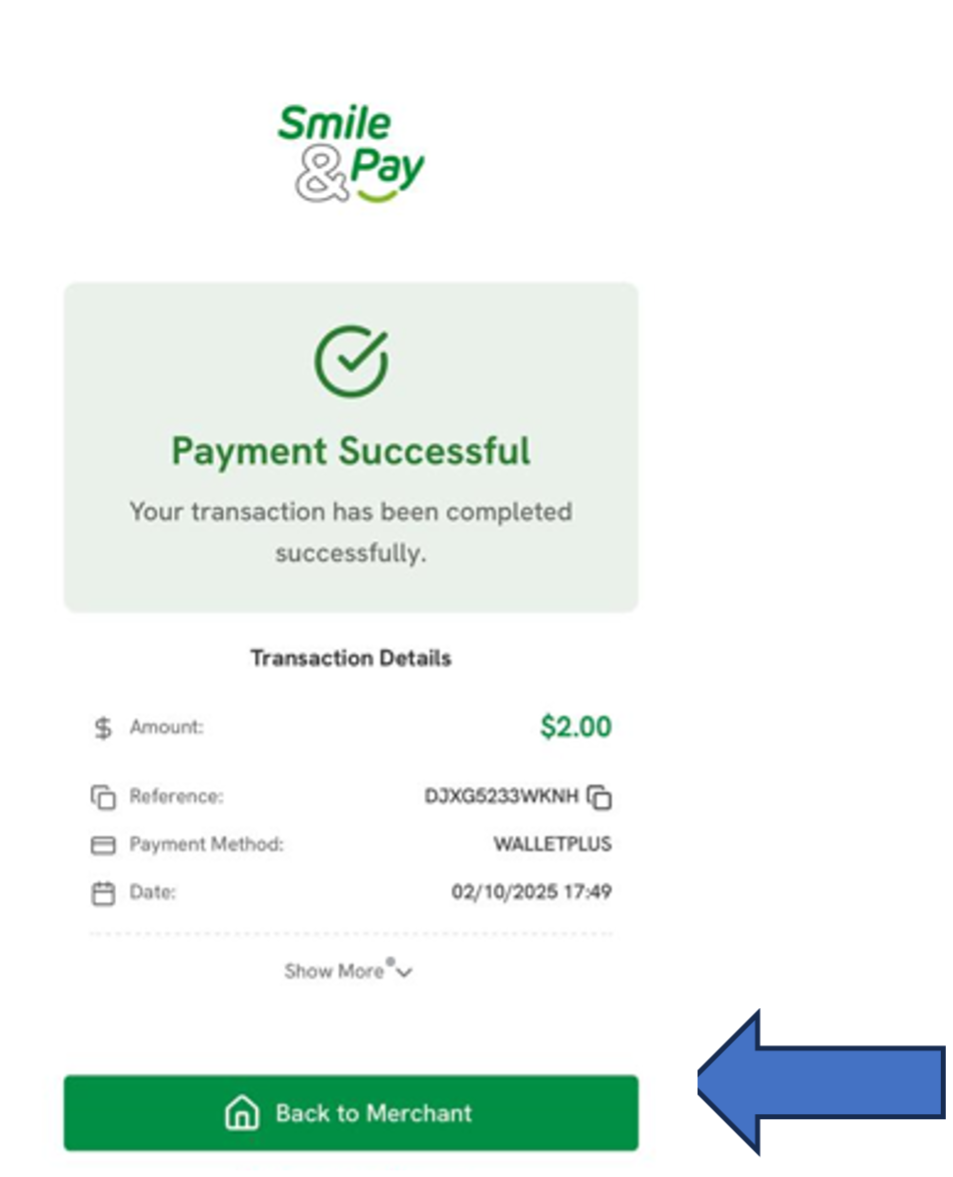
Payment Successful

Success! Click "Back to Merchant"
✓ Done! Your account is credited and you can start playing.