




How to Withdraw

Simple and quick guide to withdraw from your Bwinners account

SMILECASH WITHDRAWAL METHOD

SmileCash Withdrawal Steps

👈 Swipe to navigate 👉
Step 1 of 8
1

Login & Access Profile

Step 1

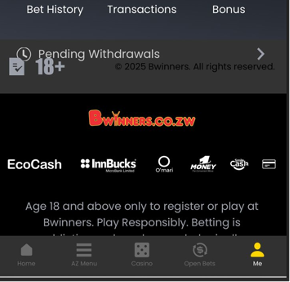
Login to your Bwinners.co.zw account
Click on "Me" at the bottom right of your screen

2

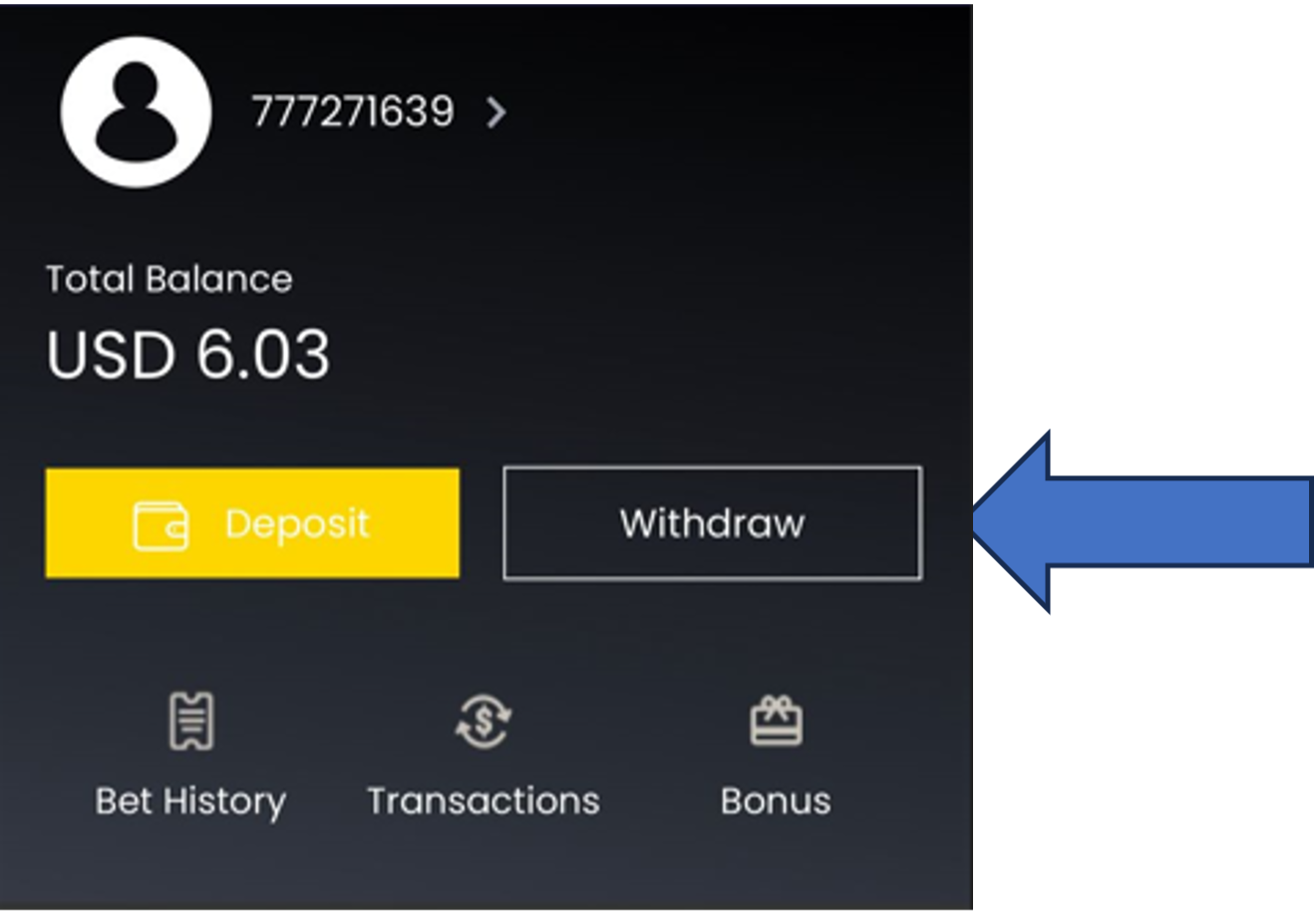
Click Withdraw

Step 2

Click "Withdraw" button

3

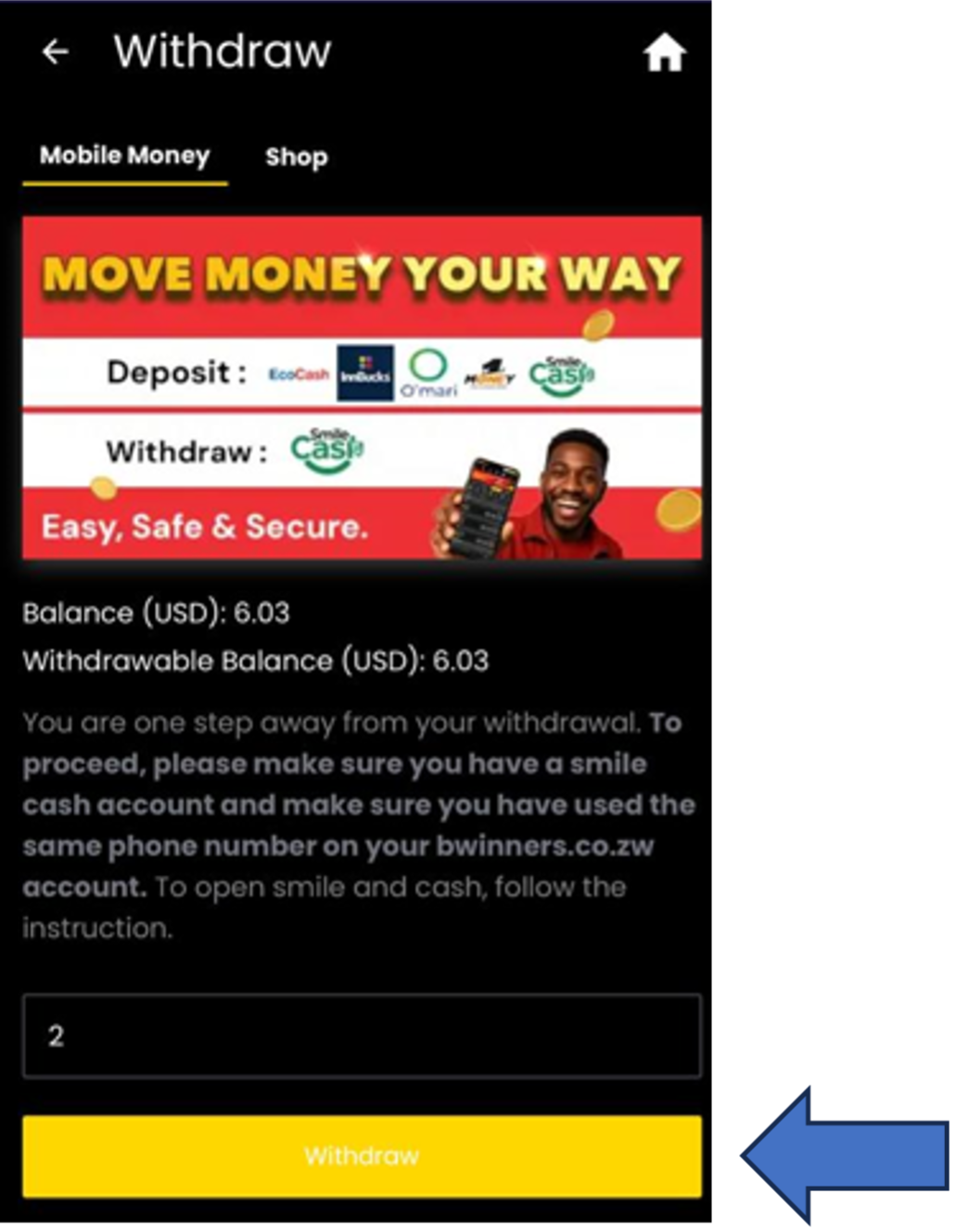
Enter Amount

Step 3

Insert the withdrawal amount (USD) & click "Withdraw"

4

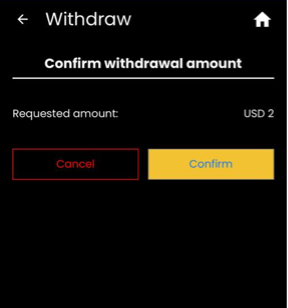
Confirm Withdrawal

Step 4

Click on "Confirm" to proceed

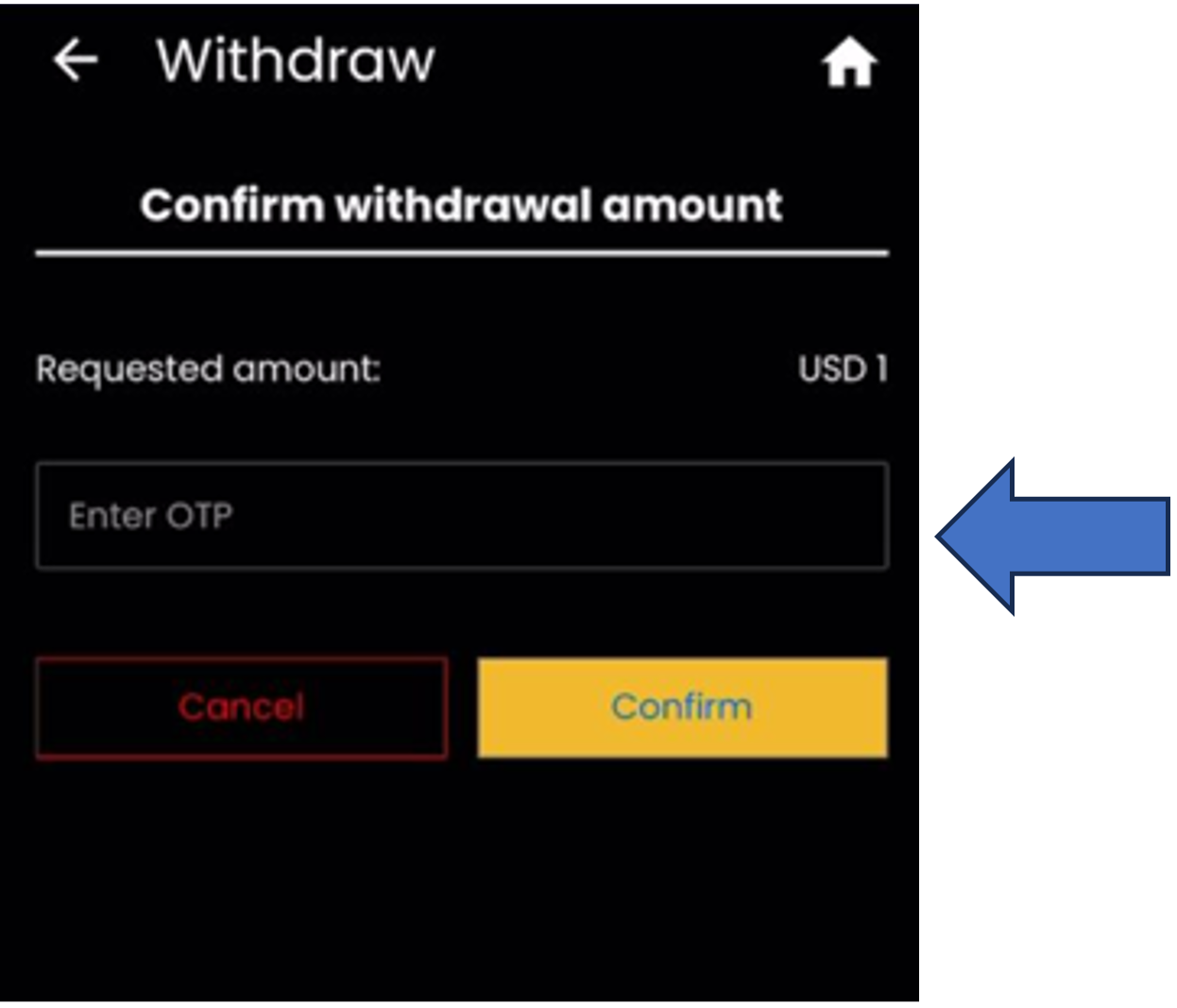
5

Enter OTP

Step 5

Enter OTP that you receive from Bwinners ZW

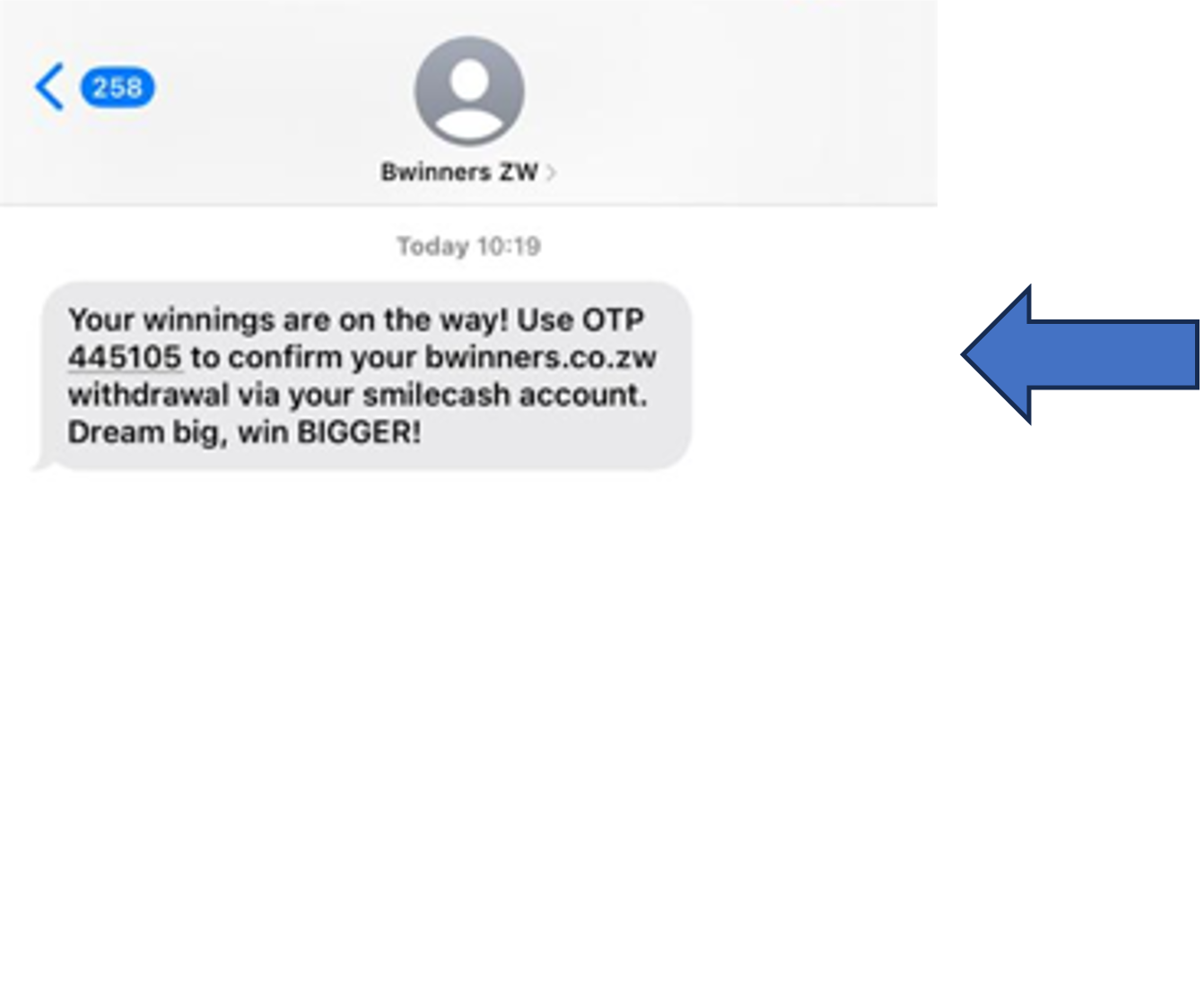
6

OTP Message

Step 6

OTP message from Bwinners ZW

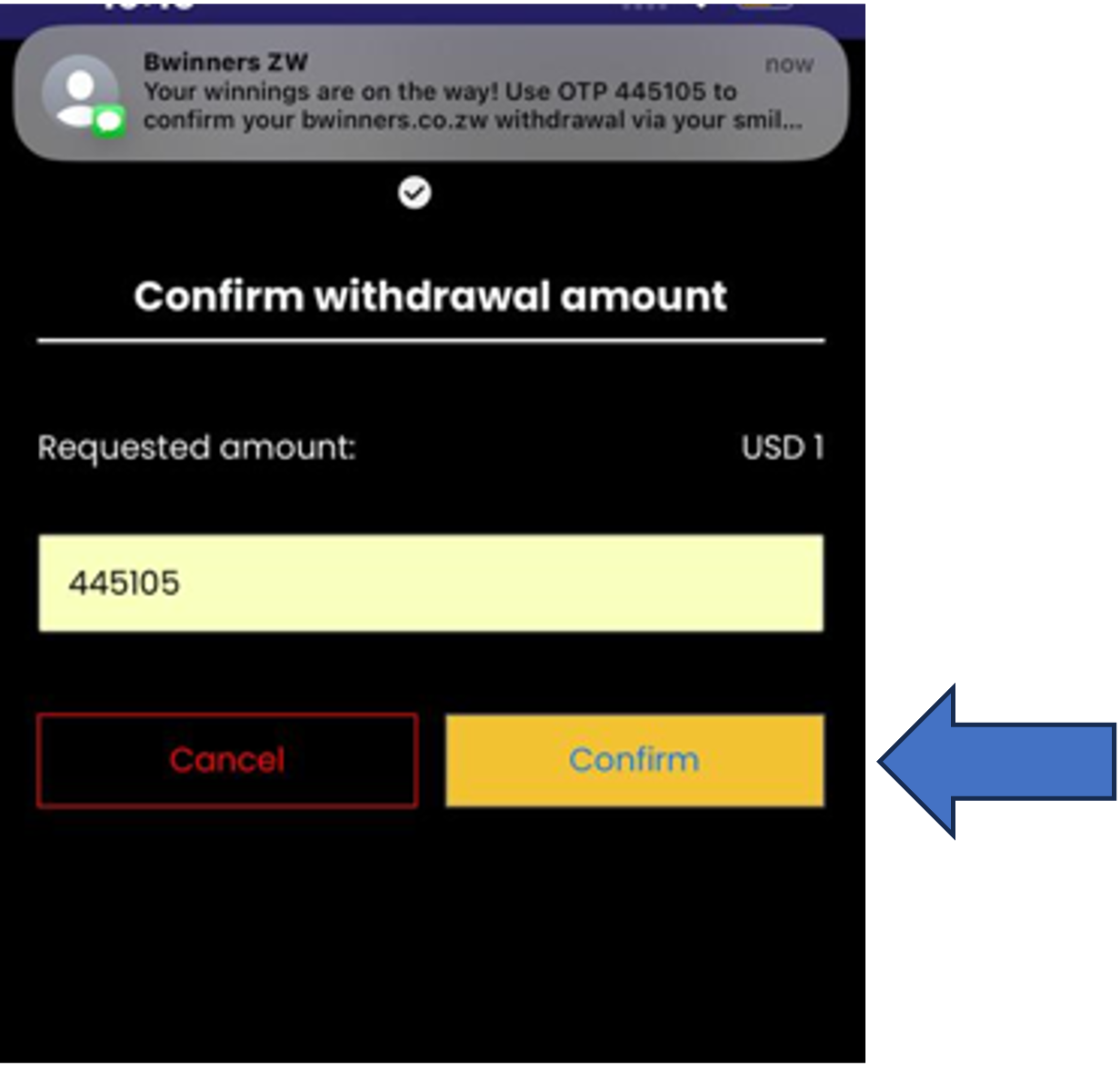
7

Verify OTP

Enter code and click "Confirm"

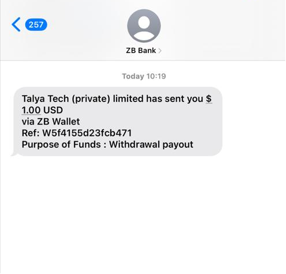
8

Withdrawal Confirmed

ZB Bank will send a confirmation of the withdrawal to your SmileCash account

✓ Done! Your withdrawal has been processed successfully.